Automatische upgrades
vernieuwing over 1 jaar voor $ 33 .00
Alle platforms
Bewerk waar je ook bent.
$ 139 .00
$ 477 .00
-71% KORTINGEenmalige betaling, apps voor altijd gebruiken
Koop nuproducten:
inbegrepen:
Luminar op desktop, mobiel en web: voor altijd van jou. AI-tools verlengbaar na 365 dagen met Luminar Prime.
*365 dagen toegang tot AI-tools. Onderworpen aan het fair use-beleid.
Beste – Compleet pakket
Max
Bewerk, leer en creëer zonder beperkingen.
$ 159 .00
$ 546 .00
-71% KORTINGEenmalige betaling, apps voor altijd gebruiken
Koop nuproducten:
Luminar Prime:
Luminar op desktop, mobiel en web: voor altijd van jou. Toegang tot nieuwe en generatieve AI-tools, plus de Library of Assets: 365 dagen.
*365 dagen toegang tot AI-tools. Onderworpen aan het fair use-beleid.
Alleen voor desktop
Bewerkingen zijn beperkt tot je desktopapparaat.
$ 99 .00
$ 417 .00
-77% KORTINGEenmalige betaling, apps voor altijd gebruiken
Koop nuproducten:
inbegrepen:
Luminar: voor altijd van jou. AI-tools verlengbaar na 365 dagen met Luminar Prime
*365 dagen toegang tot AI-tools. Onderworpen aan het fair use-beleid.
Werkt als Standalone voor:

macOS

Windows
Werkt als plugin voor:

Adobe Photoshop®

Adobe Lightroom®

Apple Photos®
Werkt als Standalone voor:

Android

iOS

ChromeOS

fotografen en organisaties

met intuïtieve AI-gestuurde bediening
Licentie alleen voor desktop
Door de permanente licentie ‘Alleen desktop’ aan te schaffen, krijg je een licentie die je het recht geeft om Luminar voor altijd op je computer te gebruiken, inclusief alle eerdere upgrades. Met dit abonnement kun je:
Licentie voor alle platforms
Bevat alles uit het ‘Alleen desktop’-abonnement, plus:
Max-licentie
Ons meest uitgebreide abonnement voor onbeperkte creatieve vrijheid. Bevat alles uit de licentie voor alle platforms, plus Luminar Prime:
Opmerking: AI-tools en de bibliotheek met assets werken volgens een model met automatische verlenging via een Luminar Prime-abonnement na 365 dagen.
Om de toegang tot de AI-tools (Restoration, GenErase, GenSwap, GenExpand en AI Assistant) te herstellen, kun je een Luminar Prime-abonnement aanschaffen. Dit biedt onbeperkte toegang tot niet alleen de AI-tools en de bibliotheek met creatieve assets, maar ook tot alle nieuwe tools die tijdens je actieve abonnement worden uitgebracht, en die voor altijd van jou blijven.
Opmerking: De Max-licentie bevat al een Luminar Prime-abonnement
Ja! De AI-tools die bij uw aankoop van Luminar zijn inbegrepen, zijn volledig bruikbaar zolang uw licentie actief is. Dit omvat essentiële AI-bewerkingstools zoals Sky AI, Light Depth, Background Removal AI en nog veel meer. Generatieve tools (zoals GenErase, GenSwap, GenExpand), Restoration en AI Assistant zijn bij uw licentie inbegrepen voor een periode van 1 jaar vanaf de aankoopdatum voor abonnementen met onbeperkte looptijd.
Het beleid inzake redelijk gebruik (Fair Use Policy) bevat richtlijnen voor verantwoorde en eerlijke toegang tot onze AI-functies, waaronder generatieve tools, Restoration en de AI-assistent. Dit beleid zorgt ervoor dat alle gebruikers kunnen rekenen op betrouwbare prestaties, terwijl onze AI-diensten veilig en toegankelijk blijven.
Praktijken die buiten het kader van redelijk gebruik vallen, zijn onder meer het geautomatiseerd of massaal genereren van afbeeldingen, het doorverkopen van toegang aan derden als betaalde dienst of API, het delen van één licentie met meerdere personen en het omzeilen van technische beperkingen of beveiligingsmaatregelen in de software.
Raadpleeg voor de volledige richtlijnen ons beleid inzake redelijk gebruik.
Ja. Bewerken op meerdere apparaten is inbegrepen bij zowel de All Platforms als de Max License. Je kunt beginnen met bewerken op je mobiele telefoon en precies daar verdergaan waar je was gebleven op je desktop of tablet. Momenteel werkt dit in één richting (mobiel → desktop).
Met de aanstaande release van Luminar for Web kun je dankzij uitgebreide synchronisatie:
Je vindt de volledige systeemvereisten op onze ondersteuningspagina’s:
Luminar for Desktop is beschikbaar in: Engels, Duits, Spaans, Frans, Italiaans, Chinees (vereenvoudigd en traditioneel), Koreaans, Japans, Portugees, Nederlands, Pools, Zweeds, Noors, Deens, Tsjechisch en Oekraïens.
Luminar Mobile is beschikbaar in: Engels, Duits, Frans, Spaans, Japans, Italiaans, Nederlands, Oekraïens, Pools, Koreaans, Portugees, Vereenvoudigd Chinees, Traditioneel Chinees, Hindi, Indonesisch en Turks..
Opmerking: Cursussen in de bibliotheek met assets zijn momenteel alleen beschikbaar in het Engels.
Voor Mac:
Voor Windows:
30 Dagen Niet-Goed-Geld-Terug Garantie! Als je niet tevreden bent met het product, krijg je binnen de 30 dagen je geld terug.


Desktop voor Windows/MacOS en volledige toegang tot alle generatieve tools voor één jaar.
100 Creatieve Add-ons
Luminar Neo video cursus
Desktop voor Windows/MacOS en volledige toegang tot alle generatieve tools voor één jaar.
Mobiele app voor iOS/Android/ChromeOS
100 Creatieve Add-ons
Luminar Neo video cursus
Desktop voor Windows/MacOS en volledige toegang tot alle generatieve tools voor één jaar.
Mobiele app voor iOS/Android/ChromeOS
100 Creatieve Add-ons
Luminar Neo video cursus


What are the system requirements for Luminar Neo?
Luminar Neo should work on your computer as long as it meets the following minimum system requirements.
For Mac:
For Windows:
How to download and activate Luminar Neo?
Once you place the order, the installer should automatically download to your computer. Moreover, you'll be sent the activation instructions with the download links from the Skylum Team at the email address you provided during the purchase. For future use, the download links are always available in your Skylum account.
To activate the app, you have to sign in to your Skylum account within the app. No license key or activation code is required. When you start Luminar Neo, you’ll see a window that prompts you to log in to your Skylum account:
1. Enter your email address to find out if you already have an account.
2. Sign in with your email address (the one you used during the purchase) and the password for your Skylum account.
3. Congratulations! You’ve activated Luminar Neo.
*If you have a Skylum account but purchased Luminar Neo using an email address not tied to it, you can merge your accounts in the My Software > App isn’t showing? section of your Skylum account.
Still don’t see Luminar Neo in your account? Our support team will help you with that.
Which cameras are supported?
Luminar Neo RAW processing is based on our own powerful RAW engine. You can check the full list of supported cameras here. Also, we regularly update our library and make our own improvements to provide excellent support for new cameras.
Kan ik Luminar Neo als plug-in gebruiken?
Luminar Neo is a universal solution that can function both as a standalone editor and a plug-in.
Luminar Neo can be used as a plug-in or extension for:
Will all tools from Luminar Neo are available in the plugin mode?
You can learn more here on how to send an image from the host app to Luminar Neo.
Wat is het verschil tussen het Luminar X-lidmaatschap en het Luminar Neo Pro-abonnement?
Luminar Neo’s Pro Subscription plans give you access to the Luminar Neo app, all updates or new versions, and the Generative tools (GenSwap, GenErase, GenExpand).
Luminar X Membership is a paid subscription for those who already own or subscribe to Luminar and want to take their creativity to the next level. Luminar X members enjoy monthly delivery of creative assets, including Luminar Presets, LUTs, and Sky textures.
Important: Luminar X Membership doesn't include the Luminar Neo app.
What happens to my Luminar Neo if I cancel the subscription?
Canceling your subscription means you won’t be charged at the beginning of the next billing cycle. You’ll be able to keep using Luminar Neo for the duration of the paid period.
If you owned a lifetime license to Luminar Neo before subscribing, you will be able to use Luminar Neo license after your subscription period ends. You will also not have access to possible future new versions of the Luminar app. However, some upgrades might require an extra charge.
Wat is Luminar Neo?
Luminar Neo is an innovative image editor powered by AI technologies of the future that simplifies complex editing routines and enables creators to bring their boldest ideas to life. And enjoy it.
...And much more.
What languages are supported?
Luminar Neo is available in English, German, Spanish, French, Italian, Chinese Simplified and Traditional, Korean, Japanese, Portuguese, Dutch, Polish, Swedish, Norwegian, Danish, and Ukrainian

What is LuminarAI?
LuminarAI is an all-new application and plug-in and the first fully AI-powered image editing software in the world.
While Skylum is well-known for building software that taps into artificial intelligence for great results, LuminarAI is entirely different.
We built LuminarAI with artificial intelligence at its core. Artificial intelligence saves you time and effort. Before, traditional editing software was outdated. It was time-consuming and hard to learn. It required effort and skills to get satisfying results. With LuminarAI, you can create great-looking photos much faster. It’s perfect for anyone, of any skill level.
While other companies use artificial intelligence as a catchphrase, LuminarAI is packed full of truly smart technology. LuminarAI features many AI tools that allow you to get more done in less time. Innovations like SkyAI, FaceAI, BodyAI, IrisAI, AtmosphereAI and more give your images a memorable style and a competitive edge. Without sacrificing quality, speed or creative options.
How to download and activate LuminarAI?
Your download links will be waiting for you in your Skylum account.
NOTE: Your LuminarAI purchase is linked to the billing email address you provided. Use that email to log in to your Skylum Account or, if needed, create a new Skylum Account tied to that email address.
Visit the login page here.
If you already have an account, sign in with Google, Facebook, Microsoft, Apple, or your email and password.
If you don’t have an account, you can create it here. Make sure to choose the same email used for the LuminarAI purchase.
If you have a Skylum account, but purchased LuminarAI using an email address not tied to it, you can merge your accounts into one in the My Software tab > Link my licenses section of your Skylum account. After that, please go to the inbox of your new email address and verify your email.
In your account, you will see a My Software tab with all of your Skylum software, including LuminarAI.
Find the tab with LuminarAI. Download LuminarAI by clicking the Download button.
With LuminarAI we made the activation process easier and faster for you. There’s no need to remember your license number in order to use LuminarAI. Now you may activate LuminarAI directly from your account.
By default, all our software launches in trial mode when you first open it. When you start LuminarAI, you’ll see a window that prompts you to log in to your Skylum Account.
To activate LuminarAI:
If you already have a Skylum account, sign in with a linked Google, Facebook, Microsoft, or Apple account, or sign in with your email and password.
If you don’t have a Skylum account, click Register and create a Skylum Account. You can sign up with a Facebook, Google, Microsoft, or Apple account, or you can sign up using your email and a password.
If you have a Skylum account, but purchased LuminarAI using an email address not tied to it, you can merge your accounts into one in the My Software tab > Link my licenses section of your Skylum account. After that, please go to the inbox of your new email address and verify your email.
Congratulations! You’ve activated LuminarAI.
Still don’t see LuminarAI in your account? Our support team will help you with that.
What are the system requirements for LuminarAI?
LuminarAI should work on your computer as long as it meets the following minimum system requirements.
For Mac:
Starting from Update 3, LuminarAI runs natively on the M1 chip.
For Windows:
Are third-party plug-ins supported? (including Aurora HDR and Luminar 4)
In our other applications, third-party plug-ins are supported and send back the processed image as a new layer.
One of the changes in LuminarAI is the switch from layers to a Local Adjustments tool and smart segmentation of our AI-powered tools. This is why there will be no third-party plugin support in LuminarAI. If you need to merge bracketed photos, we suggest using Aurora HDR in its standalone mode.
Can I use LuminarAI as a plug-in?
LuminarAI is a universal solution that can function both as a standalone editor and a plug-in.
Using LuminarAI as a plug-in, you’ll be able to bring creative and timesaving workflow to your host application. LuminarAI allows you to revolutionize the way you enhance photos but conveniently fits into your current workflow.
LuminarAI can be used as a plug-in or extension for:
Does LuminarAI handle RAW files?
Of course! LuminarAI RAW processing is based on our own powerful RAW engine. We regularly update our library and make our own improvements to provide perfect support for new cameras. You can check the full list of supported cameras here.
Learn more about Luminar

Breng oude foto’s tot leven
NIEUW
Voeg dimensionale belichting toe
NIEUW
Verbeter in seconden

Verwijder afleidingen

Vervang luchten direct

Vervang objecten naadloos

Verscherp elk detail

Onthul verborgen details

Verfijn elke pixel
Verbeter in seconden
Onthul verborgen details

Verhoog het contrast

Corrigeer de compositie
Verfijn elke pixel

Verbeter de kleuren

Vorm licht en schaduw
Vervang luchten direct

Creëer het gouden uur opnieuw

Voeg realistische mist toe
Verwijder nevel

Verhelder met lichtstralen

Verdiep de avondtinten

Perfecte watertexturen
Verwijder afleidingen

Breid je scène uit
Vervang objecten naadloos
Breng oude foto’s tot leven
NIEUW
Verscherp elk detail

Verminder ruis met precisie

Vergroot zonder kwaliteitsverlies
Voeg dimensionale belichting toe
NIEUW
Voeg lichtgevende diepte toe

Kleurgradatie met gemak

Verlicht met neon

Voeg filmische textuur toe

Laag creatieve effecten

Maak de huid natuurlijk glad

Verbeter gezichtskenmerken

Vorm lichaam proportioneel

Vervaag achtergronden prachtig

Voeg studiolicht toe

Vervang achtergronden eenvoudig

Verlicht met stijl

Combineer meerdere belichtingen

Naai brede panorama’s aan elkaar

Stapelfocusopnamen
100 Creatieve Add-ons






















Create atmospheric images with these 10 Overlays in JPEG format that contain shimmering lights and flares in various colors. Make sure to use them with Luminar’s Layers and/or the Portrait Background Removal tool, and experiment with your photos in any genre. You can add an interesting light effect or make the subject stand out in new ways, all in just a few clicks. Time to try it out!












Feel like adding a touch of something extra to your photos? Discover these 10 Experimental Overlays in JPEG format that you can easily use with Luminar’s Layers feature to transform any photo into a shot that catches the eye. Choose from 10 mesmerizing effects of different colors and shapes, and create a unique mood in a few clicks. From pink hues to golden circles, you’ll certainly find an Overlay perfect for your next masterpiece.









_after.jpeg?q=80&w=625&h=448&resize=cover)


_after.jpeg?w=54&h=30&resize=cover)
Verbeter foto's die u tijdens een reis naar Japan hebt gemaakt, of foto's waarvan u een sfeervol gevoel wilt hebben dat doet denken aan de Japanse stijl. Van landschappen tot iconische bezienswaardigheden en foto's van eten: dit pakket is ongelooflijk veelzijdig!












Deze 10 Voorinstellingen zijn ontworpen om uw kampeer- en wandelfoto's er op hun best uit te laten zien en geven uw buitenfoto's een natuurlijke, levendige uitstraling. Of u nu foto's maakt van majestueuze bergen of gezellige kampvuren, met één klik haalt u het beste uit uw foto's naar boven.












Is het nog steeds de aarde, of bevinden we ons op een buitenaardse planeet? Deze verzameling van 10 buitengewone Voorinstellingen is ontworpen om uw landschapsfoto's een etherisch, buitenaards gevoel te geven. Transformeer gewone landschappen in surrealistische scènes met levendige kleuren die onmiddellijk de aandacht van de kijker trekken.












Ervaar het filmische gevoel dat elk van deze 10 Voorinstellingen aan uw foto's toevoegt terwijl u door de landen van Latijns-Amerika reist. Omarm de schoonheid en voeg wat flair toe aan uw foto's met deze reisvriendelijke collectie, ontworpen voor landschappen.












Dit pakket is gewijd aan het prachtige continent Afrika en combineert een verscheidenheid aan Voorinstellingen, zowel voor portret- als landschapsfoto's. Verbeter oriëntatiepunten, safarifoto's, architectuurfoto's en portretten van mensen die u ontmoet tijdens uw reizen door Afrika.












Maak fantastische foto's tijdens uw reizen door de VS. Verbeter afbeeldingen van oriëntatiepunten, nationale parken en algemene stadsgezichten van beroemde steden. Bereik verschillende verbluffende effecten met een paar klikken van deze 10 prachtige Voorinstellingen.












Deze verleidelijke verzameling van 10 Voorinstellingen is ontworpen om de mysterieuze schoonheid van landschappen, architectuur, straatstijl en natuur uit het Midden-Oosten naar voren te brengen. Warme tinten, diepgeel of blauw en goud: u zult zeker een Voorinstelling vinden die perfect is voor uw foto.












Ontdek deze prachtige verzameling van 10 veelzijdige Voorinstellingen die perfect zijn voor uw reisfoto's uit Scandinavische landen. Leg idyllische landschappen, natuurwonderen en gezellige architectuurfoto's vast die de Scandinavische sfeer ademen. Tijd om uw reistas in te pakken!
Luminar Video Course
Creative Photo Editing Techniques in Luminar

Inleiding en cursusoverzicht
Albert Dros stelt zichzelf voor en geeft een kort overzicht van wat u leert in deze fotografie en...

Inleiding tot Fotografie
Waar moet u op letten bij het maken van uw foto's om de beste resultaten te krijgen?

Basisbewerking
Albert introduces the layout of Luminar and the basic instruments you can use to achieve great results instantly.

Geavanceerd Bewerken
Going in depth, Albert shows you the more advanced tools in Luminar and how to use them to make your photos stand out.

Dramatische Bewerkingen
Wees creatief met uw foto's! Albert bewerkt een foto met creatievere hulpmiddelen om de dramatische aspecten ervan naar voren te brengen en er nieuw leven in te blazen.

Focus Stacking
Luminar has Extensions that let you get even more impressive results. In this video, you will learn how to do focus stacking with Luminar’s Focus Stacking Extension.

Stadsgezichten
Wat maakt of breekt een stadsfoto? Bekijk hoe u een foto uit Dubai transformeert van gewoon naar indrukwekkend.

Bossen
Find out what Luminar tools Albert uses to make his impressive signature forest photos. Look out for Atmosphere AI, Sunrays, and other tools!

Voorinstellingen
Leer Voorinstellingen gebruiken om snel interessante kleuroplossingen in uw foto's te krijgen. Albert begeleidt u bij het gebruik van Voorinstellingen om nog mooiere bosopnamen te maken.

Samenvatting van de cursus
Krijg een korte samenvatting van alles wat u in deze cursus hebt geleerd. Veel plezier met creëren!
Albert Dros
FOTOGRAAF, SCHRIJVER EN LERAAR
Albert Dros is een Nederlandse landschapsfotograaf met een buitengewone passie voor het plannen en maken van unieke foto's. Vulkanen, zonsverduisteringen en unieke aspecten van de natuur trekken zijn aandacht. Hij gaat niet alleen voor een simpele afbeelding.
"Go big or go home" is his motto, always trying to add some unique element to his shots.
Zijn werk wordt wereldwijd erkend en hij is wereldwijd gepubliceerd in de grootste media.
Albert reist veel als foto-docent maar ook voor persoonlijke projecten. Maar zelfs in Nederland kan hij niet stoppen met fotograferen. Zijn inspiratie stopt nooit.
 >
>
>
>

Voorinstellingen
Luchten

Overlays

LUT's

Cursussen

X Membership Elite Plan
$ 39 /jaar
Verlengingsprijs $ 59
Educatieve videotheek
300+ Exclusieve Voorinstellingen of LUTs
300+ Unieke Luchten of Overlays
30% KORTING op bundels door Team Skylum nieuw
15% KORTING in de Luminar Markplaats
20 nieuwe artikelen per maand
Exclusieve gemeenschap
Extra verrassingsaanbiedingen
Sluit je bij ons aan voor het volgende hoofdstuk en ontvang 10% korting op je eerste aankoop.
15 m : 00 s
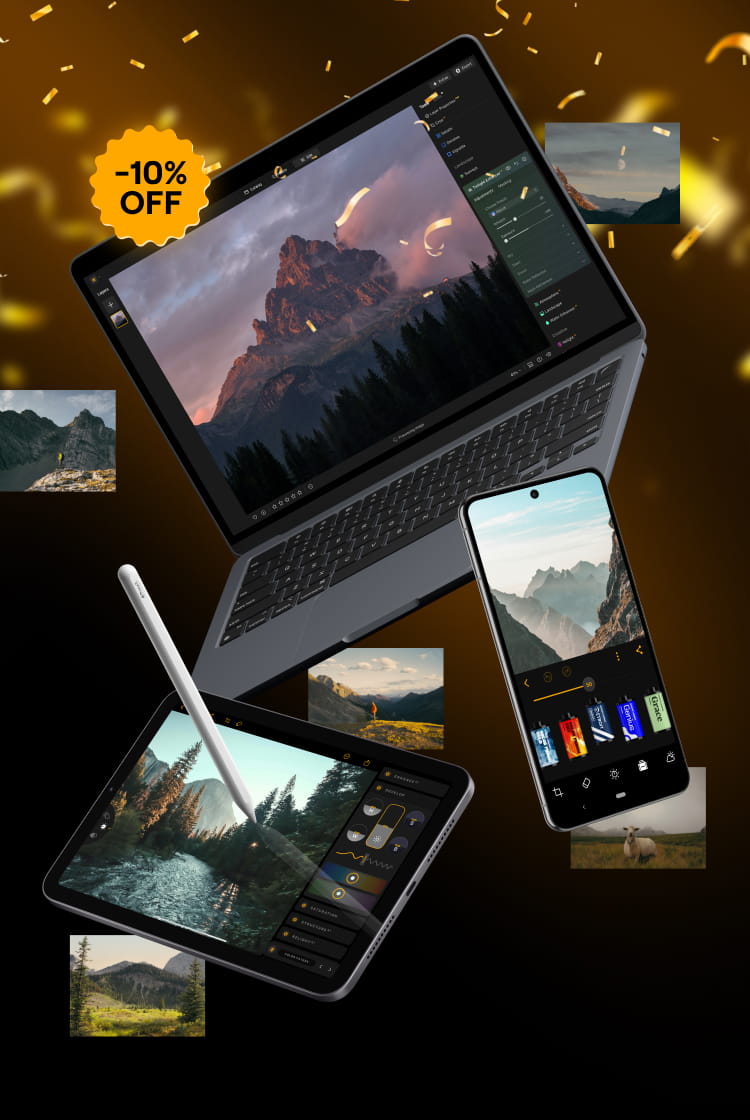
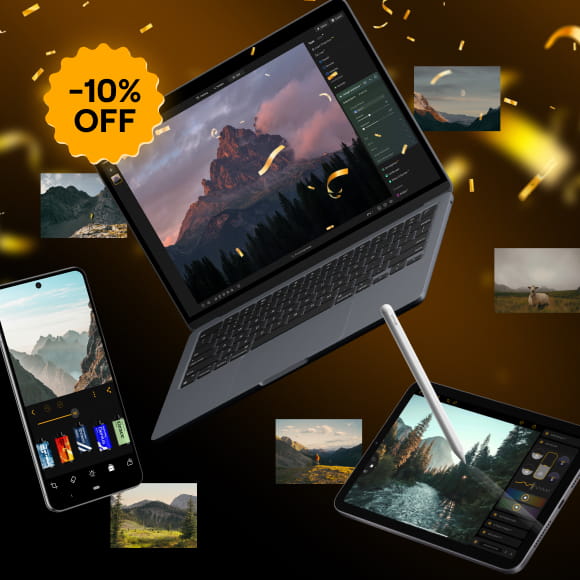
Ontgrendel uw speciale korting van 10% op alle abonnementen van uw keuze. Voer gewoon uw e-mailadres in om de promotiecode direct te ontvangen.
De promotiecode is slechts 24 uur geldig
Mis deze exclusieve deal niet!
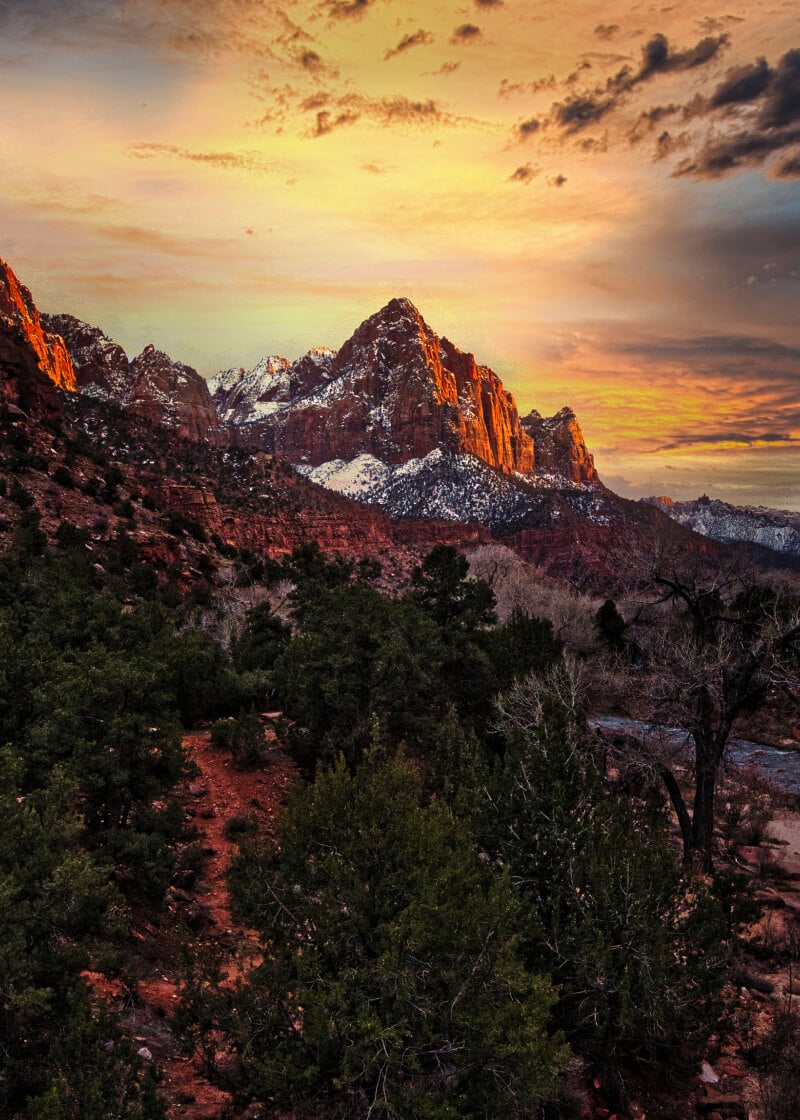
Bevestig je eerdere aankoop van een Skylum-product om Luminar te kopen met loyaliteitskorting.
Verifieer de vorige aankoop van een Skylum product om Luminar Neo te kopen met loyaliteitskorting.
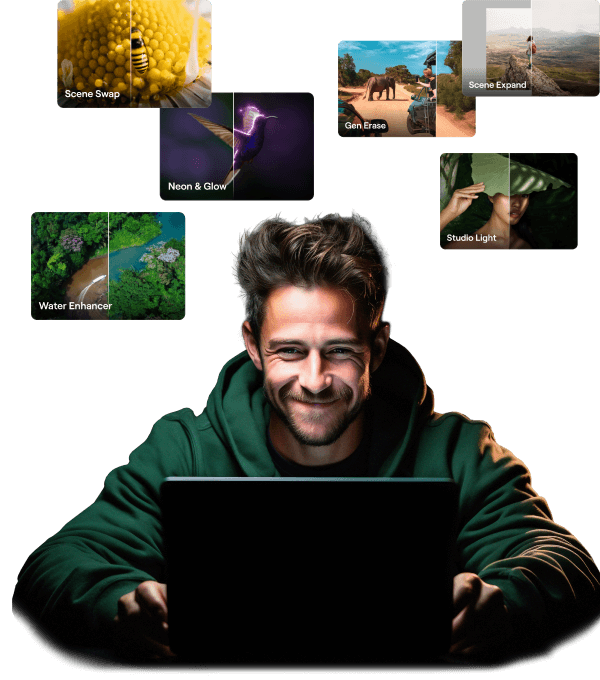
Bevat uitbreidingspakket Tijdelijke upgrade
Generatieve Al-functies
Generatief Wissen, Generatief Uitbreiden, Generatief Wisselen
Toegang tot 1 Januari 2025
Upgrade van platformfuncties
Studio Light, Neon&Glow, Water Enhancer
Voor altijd onbeperkte toegang
Alle updates en nieuwe functies
Onbeperkte toegang voor altijd (uitgebracht vóór 1 Januari 2025)